
4.65 (225 reviews)
Present complex business intelligence or process management concepts with ease.
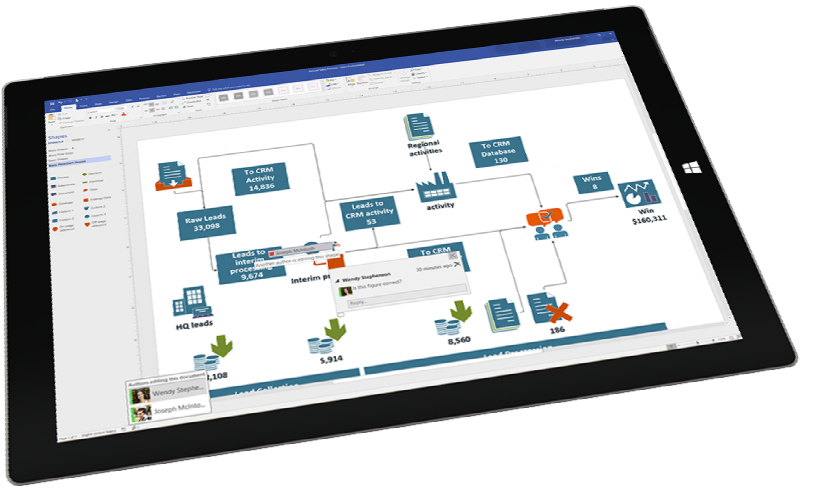
Microsoft Visio is a diagramming program that uses vector graphics to create diagrams which can display complex information at a glance. Visio is much more than a drawing package. Instead of static pictures, create data-connected Visio diagrams that display data, are easy to refresh, and dramatically increase your productivity.
This course is designed for people who wish to learn the basic concepts for creating flowcharts, and basic network diagrams. This includes learning the basics for using and creating shapes, printing drawings, creating custom stencils, and many time-saving shortcuts and techniques designed to increase user productivity.
Suitable for Visio 365, Visio 2019, Visio 2016 and Visio 3013. Select your preferred version when making a booking.
Course Overview
Audience:
Participants who need to use Visio to create diagrams and manage your drawings and diagrams.
Prerequisites:
For best outcomes, participants must have basic Windows skills and be a competent user of the mouse.
Inclusions
Training Manual with step by step instructions
Practice files relevant to the training material
Completed training files you are free to take away any completed files for review
Unlimited online support as training does not stop when you walk out our door
Course Content
Getting Started
- Learning Your Way Around
- Visio Professional Overview
- Starting A New File
- The Interface
- Standard File Types
- Changing View Settings
- Panning Across The Page
- Navigating Pages
- Opening Additional Stencils
- Manipulating Stencils
- Selection Techniques
- Scaling And Resizing Objects
Basic Techniques
- Drawing Tools Overview
- Drawing Closed Shapes
- Creating Open Shapes
- Reshaping With the Pencil Tool
- Drawing Compound Lines
- Drawing with Precision
- Size and Position Window
- Duplicating Objects Quickly
- Aligning Objects
- Distributing Objects
- Quick Analysis of connected drawings
- Rotating Objects
Basic Flow Diagrams
- Flowcharting Tips
- Understanding Master Shapes
- Placing Shapes
- Adding Shapes with the Rubber Stamp Tool
- Connecting Shapes
- Using the Connector Tool
- The Connect Shapes Command
- Adjusting Connection Lines
- Connecting Shapes Automatically
- Basic Text Features
- Adding Text to Shapes
- Adding Text to Lines
- Adjusting Text Blocks
- Rotating Text Blocks
Basic Formatting
- Formatting Text
- Formatting Text Blocks
- Formatting Shapes
- Formatting Lines
- Adding A Background Shape
- Dynamic Connectors Basic Network Diagramming
Starting a New File
- Setting File Properties
- Page Setup
- Creating and Applying Background Pages
- Adding Fields
- Importing Graphics
- Using Typology Shapes
- Connecting Ethernet Shapes
- Adding Detail Pages
- Linking Diagrams
- Creating Hyperlinks
- Going to a Specified Link Location
- Linking to multiple files
- Linking to Other File Types
- Printing Your Charts
Diagramming and Data
- Using Guides
- Adding Connection Points
- Selecting Object Types
- Connecting Shapes
- Setting Layout and Routing Options
- Setting Snap and Glue Options
- Changing Glue settings
- Adding Shape Data
- Creating Custom Properties
- Setting Unique Custom Properties
- Generating Property Data Reports
- The Property Reporting Wizard
- Custom Properties in Shapes
- Custom Formulas for Fields
- Working with Spreadsheet Data
Creating Custom Stencils
- Creating Custom Stencils
- The Stencil Toolbar
- Creating New Shapes
- Adding Shapes to the Stencil
- Adding Imported Shapes
- Editing Master Shapes
- Saving the Stencil
- Using the Custom Stencil
Delivery Options

Public Courses
Live online - learn by doing.
Our Live Online courses are conducted through a dedicated learning platform that enables us to provide instructor-led, hands-on training to develop real skills, in real time. Each participant logs into their own virtual environment setup specifically for the course. This is a fully interactive experience - just like in a classroom. No passive lectures. No videos to follow - real time hands-on practice with your instructor guiding you every step.
Instructor:
- provides real-time live hands-on instruction and demonstration,
- provides step-by-step practical activities for participants,
- can assist participants on their screen, if necessary,
- can share participant screens to enhance discussion.
Participants:
- receive hands-on instruction, step-by-step exercises and skill-builder activities,
- see the instructor screen while working on their own environment,
- can interact with the instructor and the group of participants,
- can ask questions at any time,
- join the course from any location with internet using a Course Invitation.
- no need for any software, just a computer with internet and a browser.
- no downloads on installs necessary on the participant computer.
Inclusions:
- E-Book Training Manual/activity booklet will be provided
- Certificate of Completion
- Post-course support to the level of the course
- Access to any training exercises used during the session
Session Times:
- Full Day Course: 9:00 am-4:30 pm
- Half Day Course: 9:00 am-12:30 pm or 1:30 pm-5:00 pm
Private Courses
Private sessions can be arranged through our Live Online platform for group training. Group training content and duration can also be tailored to your needs. To discuss your training requirements, contact our Course Scheduling team.

Classroom
Classroom sessions are delivered at a nominated location (Private courses only).
Requirements:
If training is being delivered on your site:
- A computer is required for each participant, configured with appropriate software (if necessary).
- If participants are using laptops, ensure power cords are provided for use during the session.
- The instructor will bring their own laptop - please provide power
- Screen/Projector for trainer to connect their laptop to. Please indicate the connection method - hdmi or wifi.
Inclusions:
- Training Manual/activity booklet
- Certificate of Completion
- Post-course support for queries relating to the course content.
Visio
| Event | Event Date | Location | Individual Price | Register |
|---|---|---|---|---|
| Visio Essentials | 03-11-2026 | Live Online | $440.00 | |
| Visio Essentials | 11-12-2026 | Live Online | $440.00 |
Brochure