
4.4 (525 reviews)
$495
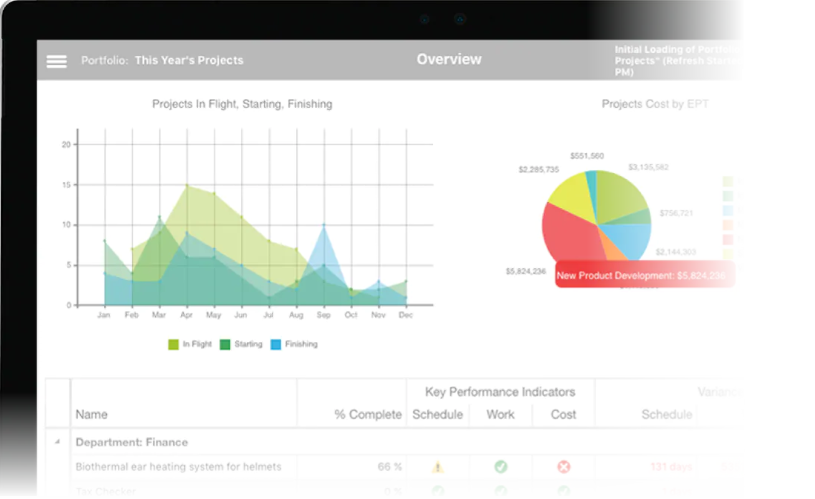
Manage multiple projects
with shared resources.
Microsoft Project is specially provides the tools to effectively manage and control single or multiple projects. In the Advanced Microsoft Project course, you will learn:
how to link multiple projects
share resources across multiple projects
automate various tasks using macros
Course Overview
Audience:
This course is designed for people who are existing users of Microsoft Project who wish to use the more advanced features to work more efficiently.
Prerequisites:
Participants must have completed the Microsoft Project Essentials level course or have equivalent knowledge and experience working Microsoft Project. Participants must be able to create a new project schedule and work with tasks and resources.
Course Content
Organising Project Data
- Sorting Data in a View
- Sorting Resources and Tasks
- Performing a Custom Sort
- Sorting Tasks in Outline Structure
Group Project Data
- Grouping Data in a View
- Group Resources
- Group Tasks
- Custom Groups
- Work Breakdown Structure Codes
- Working with Custom Data
- Custom Fields
- Calculated Field
- Calculating Group and Summary Values
Publishing Project Information
- Snapshots
- Project Web Page
- Custom Project Web Page
Integrating with Microsoft Office
- Copying Data from Project
- Importing and Exporting data from Microsoft Project
- Copying information between Excel and Project
- Importing a Project list into Excel
- Working with Excel Import/Export Template
- Importing Microsoft Outlook Tasks into Microsoft Project
- Building a Resource list with Microsoft Outlook
Working with Multiple Projects
- Working with workspaces
- Splitting a project into multiple files
- Inserting a sub project
- Creating a consolidated project file
- Working with links on sub projects
- Calculating multiple critical paths
- Working with resources on multiple projects
- Creating a resource pool
- Working with resource allocation across multiple projects
- Adjusting resources for multiple projects
External Tasks
- Linking Tasks between different Projects
- Modifying external relationships
- Updating Cross-Project links
- Removing Cross-Project links
Advanced Task Durations
- Understanding Advanced Duration calculations
- Setting Calculation weightings
- Entering Duration Values
- Calculating Duration Values
- Analysing Advanced Duration Values
Analysing Project Data
- Working with Earned Value Analysis
- Setting a Status Date
- Viewing Earned Value Data
- Exporting Earned Value Analysis to Excel
- Working with Multiple Baselines
The Network Diagram
- Working with the Network Diagram
- Analysing Relationships with the Network Diagram
Delivery Options

Public Courses
Live online - learn by doing.
Our Live Online courses are conducted through a dedicated learning platform that enables us to provide instructor-led, hands-on training to develop real skills, in real time. Each participant logs into their own virtual environment setup specifically for the course. This is a fully interactive experience - just like in a classroom. No passive lectures. No videos to follow - real time hands-on practice with your instructor guiding you every step.
Instructor:
- provides real-time live hands-on instruction and demonstration,
- provides step-by-step practical activities for participants,
- can assist participants on their screen, if necessary,
- can share participant screens to enhance discussion.
Participants:
- receive hands-on instruction, step-by-step exercises and skill-builder activities,
- see the instructor screen while working on their own environment,
- can interact with the instructor and the group of participants,
- can ask questions at any time,
- join the course from any location with internet using a Course Invitation.
- no need for any software, just a computer with internet and a browser.
- no downloads on installs necessary on the participant computer.
Inclusions:
- E-Book Training Manual/activity booklet will be provided
- Certificate of Completion
- Post-course support to the level of the course
- Access to any training exercises used during the session
Session Times:
- Full Day Course: 9:00 am-4:30 pm
- Half Day Course: 9:00 am-12:30 pm or 1:30 pm-5:00 pm
Private Courses
Private sessions can be arranged through our Live Online platform for group training. Group training content and duration can also be tailored to your needs. To discuss your training requirements, contact our Course Scheduling team.

Classroom
Classroom sessions are delivered at a nominated location (Private courses only).
Requirements:
If training is being delivered on your site:
- A computer is required for each participant, configured with appropriate software (if necessary).
- If participants are using laptops, ensure power cords are provided for use during the session.
- The instructor will bring their own laptop - please provide power
- Screen/Projector for trainer to connect their laptop to. Please indicate the connection method - hdmi or wifi.
Inclusions:
- Training Manual/activity booklet
- Certificate of Completion
- Post-course support for queries relating to the course content.
Available Project Advanced courses
| Event | Event Date | Location | Individual Price | Register |
|---|---|---|---|---|
| Project Advanced | 30-10-2026 | Live Online | $495.00 | |
| Project Advanced | 18-12-2026 | Live Online | $495.00 |
Brochure