
4.35 (2675 reviews)
$880
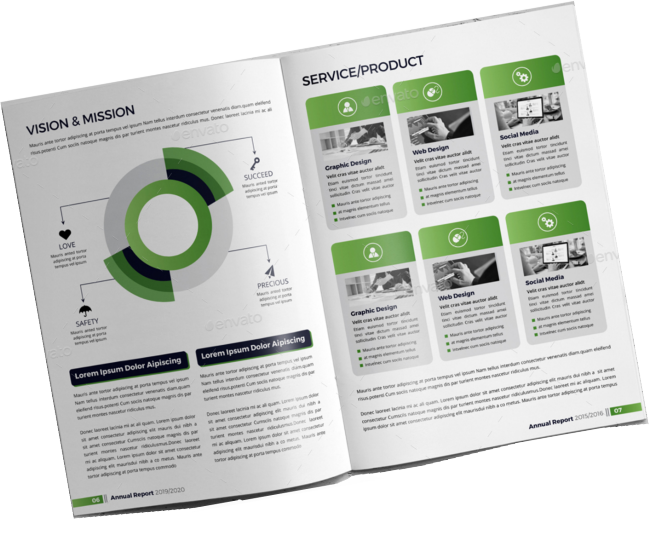 Design beautiful PDFs, eBooks, pamphlets, magazines, and more with Adobe InDesign!
This course is designed for people who wish to master the fundamentals of Adobe InDesign. Learn to use its full potential by completing exercises producing ads, brochures, magazine, newsletter layouts and forms. This hands-on course covers the basics of working with text frames, formatting, graphics and links, colours and libraries.
Participants will learn more advanced features of styles, layers, master pages, and templates. By the end of the course, participants will be able to generate book files and prepare documents for print and other media.
See the Course Content tab for more detailed information or download the course brochure.
Course Overview
Audience:
This course is designed for new users of InDesign.
Prerequisites:
Participants must have a working knowledge of a computer and Windows. It is important to be are familiar with the mouse, using standard menu commands and basic file management techniques.
Inclusions
Training Manual with step-by-step instructions
Practice files with relevant to the training material
Training Completed files you are free to take away any completed files for review
Unlimited online support as training does not stop when you walk out our door
Course Content
The Work Area
- Starting InDesign
- The InDesign work area
- Changing magnification levels
- Navigating through a document
- Working with layers
Page Layout
- Creating a new document
- Open/Save documents
- Setting basic layout options
- Grids, Guides and rulers
- Pages and Spreads
- Adding Pages
- Defining Sections
- Numbering Pages
- Adding Section Marker Text
Working with Masters
- Editing Master pages
- New Master pages & Master Spreads
- Applying Master pages & spreads
- Over-riding Master page items
- Layers and Master pages
- Adjusting layouts
Text
- Creating Text Frames
- Setting Text Frame options
- Linking and unlinking text frames
- Cutting and pasting text frames
- Adding a new frame to a story
- Entering and flowing text
- Importing text
- Editing text
- Checking Spelling
- Find and Change
- InDesign tagged text
- Aligning Text vertically
- Threading Text
Typography
- Character formatting
- Letter, word spacing and Kerning
- Fills and strokes
- Paragraph formatting
- Alignment and indents
- Styles
- Copying Styles from other documents
Text and Graphics
- Page Rules
- Text wrap
- Converting Text to Outlines
- Inline Frames
- Placing Text on a Path
- Using graphics from other programs
- Managing links
- Placing a Photoshop file
- Placing a PDF file
Drawings
- Drawing basic shapes
- Points and Paths
- Using the Pencil and Pen tools
- Drawing curved segments
- Drawing techniques
- Creating compound paths
- Smoothing paths
- Erasing paths
- Corner effects
- Strokes, fills and gradients
Transforming
- Moving objects
- Scaling and Rotating
- Reflecting and Shearing
- Locking objects into position
- Aligning and distributing objects
Colour and Transparency
- Colour management
- Apply colour & gradients to objects
- Creating a Tint
- Creating a spot colour
- Applying colour to text
- Applying transparency settings
Tables
- Importing and formatting tables
- Adding graphics to tables
- Formatting text in tables
Output
- General Printing controls
- Scale and Fit
- Printing Postscript to disk
- Pre-flight and package
- Exporting to PDF
Delivery Options

Public Courses
Live online - learn by doing.
Our Live Online courses are conducted through a dedicated learning platform that enables us to provide instructor-led, hands-on training to develop real skills, in real time. Each participant logs into their own virtual environment setup specifically for the course. This is a fully interactive experience - just like in a classroom. No passive lectures. No videos to follow - real time hands-on practice with your instructor guiding you every step.
Instructor:
- provides real-time live hands-on instruction and demonstration,
- provides step-by-step practical activities for participants,
- can assist participants on their screen, if necessary,
- can share participant screens to enhance discussion.
Participants:
- receive hands-on instruction, step-by-step exercises and skill-builder activities,
- see the instructor screen while working on their own environment,
- can interact with the instructor and the group of participants,
- can ask questions at any time,
- join the course from any location with internet using a Course Invitation.
- no need for any software, just a computer with internet and a browser.
- no downloads on installs necessary on the participant computer.
Inclusions:
- E-Book Training Manual/activity booklet will be provided
- Certificate of Completion
- Post-course support to the level of the course
- Access to any training exercises used during the session
Session Times:
- Full Day Course: 9:00 am-4:30 pm
- Half Day Course: 9:00 am-12:30 pm or 1:30 pm-5:00 pm
Private Courses
Private sessions can be arranged through our Live Online platform for group training. Group training content and duration can also be tailored to your needs. To discuss your training requirements, contact our Course Scheduling team.

Classroom
Classroom sessions are delivered at a nominated location (Private courses only).
Requirements:
If training is being delivered on your site:
- A computer is required for each participant, configured with appropriate software (if necessary).
- If participants are using laptops, ensure power cords are provided for use during the session.
- The instructor will bring their own laptop - please provide power
- Screen/Projector for trainer to connect their laptop to. Please indicate the connection method - hdmi or wifi.
Inclusions:
- Training Manual/activity booklet
- Certificate of Completion
- Post-course support for queries relating to the course content.
This is a 2-day course. The course days are run consecutively from the Event Date below.
Available InDesign Essentials courses
| Event | Event Date | Location | Individual Price | Register |
|---|---|---|---|---|
| Adobe InDesign Essentials | 26-10-2026 | Live Online | $880.00 | |
| Adobe InDesign Essentials | 07-12-2026 | Live Online | $880.00 |
Brochure