
4.65 (372 reviews)
$475
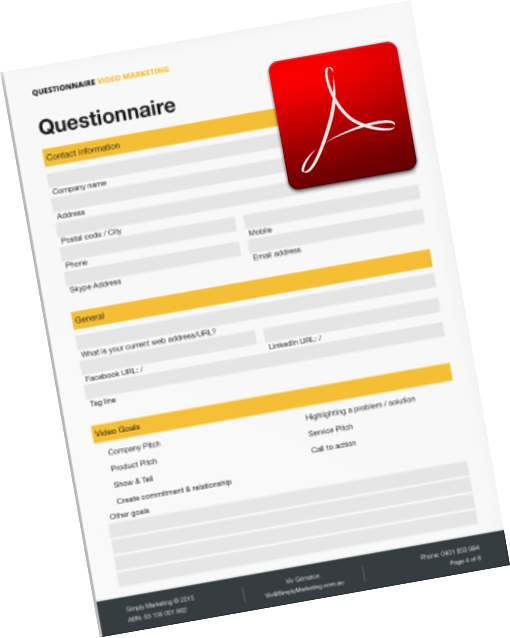 Design professional interactive forms
using Adobe Acrobat.
PDF forms created through Adobe Acrobat can be distributed through email or published online. Add interactive fields to streamline the process of completing forms and collecting form information. PDF forms can be completed in by using Acrobat, Acrobat.com, the free Adobe Reader app or online through a browser window. In this course you will learn how to
design a form based on a PDF document, Word document and an Excel spreadsheet
add interactive form fields
add set field properties to control the formatting of the information collected
create calculated fields
add buttons to submit the form data by email
apply security options to the form
collect and collate form responses using the Form Tracker
Courses available on the latest version of Adobe Acrobat - Acrobat DC or Acrobat Pro Xi.


Course Overview
Audience:
Users of Acrobat Pro XI or later who wish to create interactive forms
Prerequisites:
Participants must have basic skills in Adobe Acrobat.
Inclusions
Training Manual with step by step instructions
Practice files relevant to the training material
Training Completed files you are free to take away any completed files for review
Unlimited online support as training does not stop when you walk out our door
Course Content
Creating Simple PDF Forms
- Understanding the forms capabilities of Acrobat
- Creating a Form using Auto-Detect to detect Form fields.
- Add and modify text fields, dropdown lists, radio buttons and check boxes
- Understanding setting Field Properties
- Create simple calculations
- Adding Submit Button
- Distributing a form
Working with Fields
- Selecting multiple fields
- Aligning Fields
- Using Grids and Guides
- Resizing and Moving Fields
- Setting Field Property Defaults to save you time
- Duplicating Fields
- Validate a field
- Setting the Tab Order of Fields
- Using Comb Field property for numerical data
- Creating Advanced Calculations
- Using Hidden fields for Calculations
- Using fields for duplicate information in a form
Working with Buttons
- Adding Submit/Email buttons
- Creating a Form Reset button
- Creating a Print button
- Adding Navigation buttons
- Duplicating navigation buttons across multiple pages
Distributing Forms
- Distribution options
- Distributing forms through Email
- Enable usage rights in Acrobat Reader
Creating Tables in Acrobat
- Adding fields and setting properties
- Using Create Multiple Fields to create a table of fields
Managing Form Data
- Collecting and managing form Data
- Using Form Tracker
- Working with form data
- Filtering and Exporting data to Excel
Delivery Options

Public Courses
Live online - learn by doing.
Our Live Online courses are conducted through a dedicated learning platform that enables us to provide instructor-led, hands-on training to develop real skills, in real time. Each participant logs into their own virtual environment setup specifically for the course. This is a fully interactive experience - just like in a classroom. No passive lectures. No videos to follow - real time hands-on practice with your instructor guiding you every step.
Instructor:
- provides real-time live hands-on instruction and demonstration,
- provides step-by-step practical activities for participants,
- can assist participants on their screen, if necessary,
- can share participant screens to enhance discussion.
Participants:
- receive hands-on instruction, step-by-step exercises and skill-builder activities,
- see the instructor screen while working on their own environment,
- can interact with the instructor and the group of participants,
- can ask questions at any time,
- join the course from any location with internet using a Course Invitation.
- no need for any software, just a computer with internet and a browser.
- no downloads on installs necessary on the participant computer.
Inclusions:
- E-Book Training Manual/activity booklet will be provided
- Certificate of Completion
- Post-course support to the level of the course
- Access to any training exercises used during the session
Session Times:
- Full Day Course: 9:00 am-4:30 pm
- Half Day Course: 9:00 am-12:30 pm or 1:30 pm-5:00 pm
Private Courses
Private sessions can be arranged through our Live Online platform for group training. Group training content and duration can also be tailored to your needs. To discuss your training requirements, contact our Course Scheduling team.
Classroom
Classroom sessions are delivered at a nominated location (Private courses only).
Requirements:
If training is being delivered on your site:
- A computer is required for each participant, configured with appropriate software (if necessary).
- If participants are using laptops, ensure power cords are provided for use during the session.
- The instructor will bring their own laptop - please provide power
- Screen/Projector for trainer to connect their laptop to. Please indicate the connection method - hdmi or wifi.
Inclusions:
- Training Manual/activity booklet
- Certificate of Completion
- Post-course support for queries relating to the course content.
Available Acrobat Forms courses
| Event | Event Date | Location | Individual Price | Register |
|---|---|---|---|---|
| Adobe Acrobat Forms | 01-12-2026 | Live Online | $495.00 |
Brochure